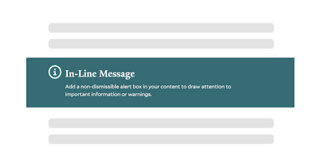
The In-Line Message block allows you to highlight crucial information, instructions and deadlines directly on the page. This block is a non-dismissible alert, ensuring that users can’t miss important updates.
- Include an optional link
- Choose a theme based on the color palette of your site
- Create a reusable block to show the same alert on multiple pages
Choosing an Icon
Every In-Line Message shows a decorative icon by default. To change it, open the block in Layout Builder and use the Icon field.
- The Icon field defaults to the information icon.
- Search the list to pick from a full set of decorative icons.
- Select “- None -” to show a text-only message with no icon.
In comparison to the In-Line Message, site-wide alerts are dismissible, and only one can be active at a time. They are ideal for information that is relevant and important to all users. The In-Line Message block is great for creating general or page-specific alerts as needed.
Building With Blocks
This resource will help you understand the Blocks available and how to use them to make your content shine.